Turn QR scans into calls, enquiries, and leads.
Create a mobile-first business page for your services, contact buttons, reviews, service areas, and quote requests. No full website needed.
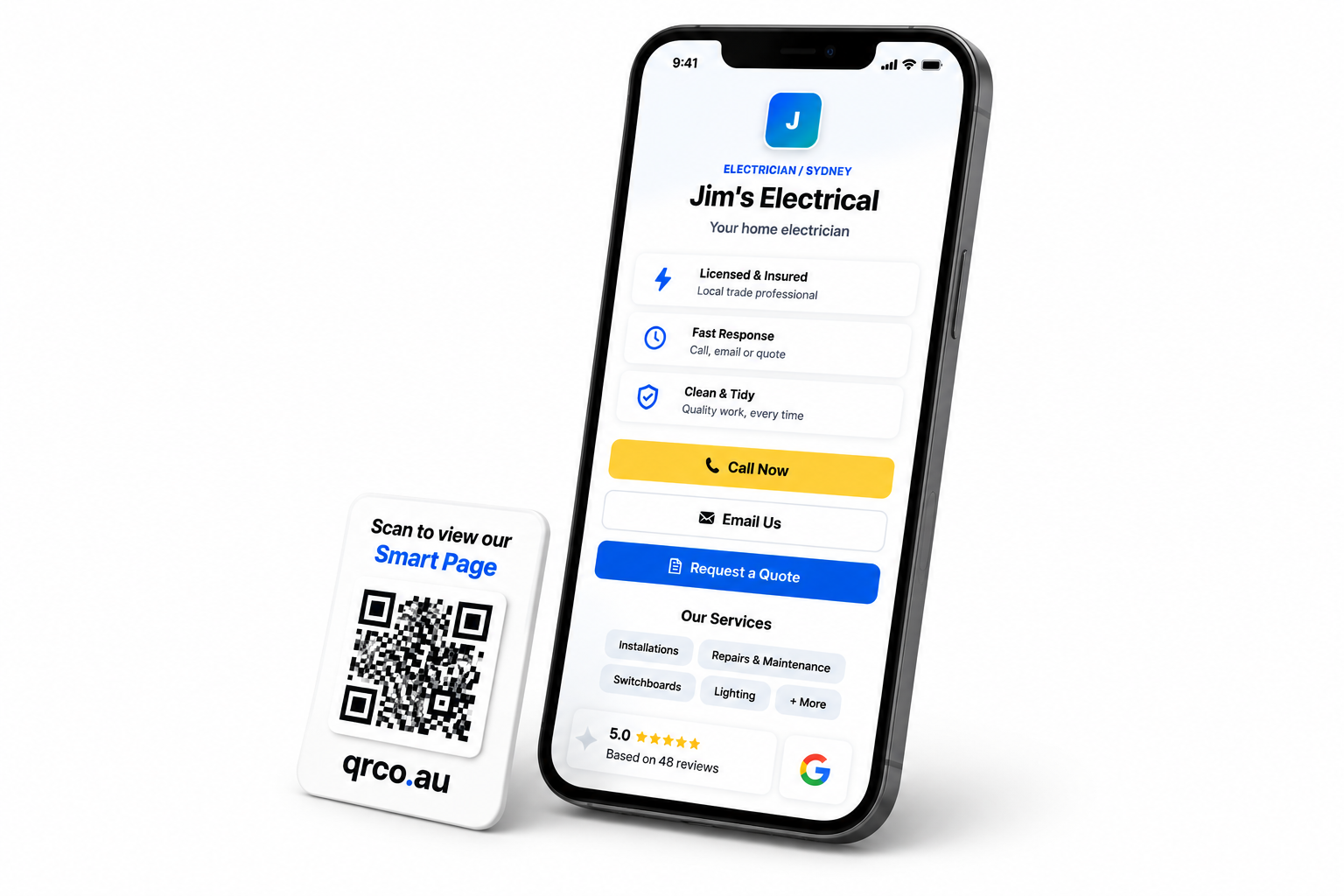
A better QR destination than a plain link.
Most QR codes only send people somewhere. Smart Pages help people take action once they arrive.
QR-ready by default
Put a Smart Page behind vehicle decals, shopfront signs, cards, stickers, flyers, invoices, menus, and packaging.
One-tap contact
Add call, email, SMS, WhatsApp, website, social, and custom buttons so customers can act quickly.
Quote and enquiry capture
Collect name, phone, email, suburb, job type, urgency, and message from one mobile-friendly form.
Lead pipeline
Move enquiries through New, Contacted, Won, and Lost so follow-up does not disappear in email.
Trust signals
Show services, reviews, hours, service areas, proof points, and contact options in one clean place.
Publish when ready
Keep a Smart Page private while editing, then publish when it is ready for customers to scan.
Templates for local and professional service businesses.
Start with a preset, then adjust the services, contact details, style, and quote request fields to match the business.
Trades
Electricians, plumbers, builders, roofers, solar installers, and maintenance teams.
Cleaning
Residential, commercial, end-of-lease, recurring, and specialist cleaning services.
Automotive
Mechanics, car repair, mobile servicing, inspections, and workshop bookings.
Accounting
Tax agents, accountants, bookkeepers, BAS, payroll, and small business services.
Legal
Law firms and consultants collecting initial enquiries and consultation requests.
Professional services
Consultants, advisors, local experts, appointment-based businesses, and service teams.
From scan to enquiry in four steps.
Create a Smart Page
Choose a template and add business details.
Connect a QR code
Use it on print, signage, vehicles, cards, and packaging.
Customers take action
They call, email, view services, or request a quote.
Track the pipeline
Move leads from new to contacted, won, or lost.
Ready to make every QR scan more useful?
Smart Pages are included in PRO for accounts with the feature enabled.